We spend real money on these machines, run hundreds of test prints, and give you honest verdicts — no sponsored fluff.
The 3D printer market in 2026 is genuinely great. Speed that used to cost $2,000 now costs $300. Auto-calibration has gone from gimmick to genuinely reliable. And the software ecosystem has caught up to the hardware.
But it’s also more confusing than ever. Every brand claims 500mm/s. Every machine promises “plug and play.” I’ve been running these printers for weeks to cut through the noise.
Here’s what actually held up.
Quick Summary — Top Picks at a Glance
| Printer | Best For | Price | Our Rating |
|---|---|---|---|
| Bambu Lab P1S | Best Overall | $699 | ⭐ 4.7/5 |
| Bambu Lab A1 Mini | Best for Beginners | $299 | ⭐ 4.5/5 |
| Creality K1 | Best Budget Speed | $299 | ⭐ 4.2/5 |
| Prusa MK4S | Best Open Source | $799 | ⭐ 4.4/5 |
| Elegoo Neptune 4 Pro | Best Under $200 | $190 | ⭐ 4.1/5 |
| Flashforge Adventurer 5M Pro | Best Compact Enclosed | $399 | ⭐ 4.2/5 |
| Bambu Lab X1 Carbon | Best Premium | $1,199 | ⭐ 4.8/5 |
How We Tested & Chose These Printers
Every printer on this list has been run through the same battery of tests in our workshop:
- Benchmark prints: 3DBenchy, Voronoi cube, overhang test tower at 40°/50°/60°/70°
- Speed tests: Benchy at max claimed speed vs. quality-balanced speed
- Material tests: PLA, PETG, and where applicable, ABS/PA
- Real-world prints: functional parts (phone stands, cable clips, brackets) and decorative items
- Noise measurements: decibel meter at 1 meter, door closed vs. open
- Setup timing: unboxing to first successful print
We don’t accept free review units. If a printer is on this list, we bought it ourselves.
The 7 Best 3D Printers in 2026
1. Bambu Lab P1S — Best Overall
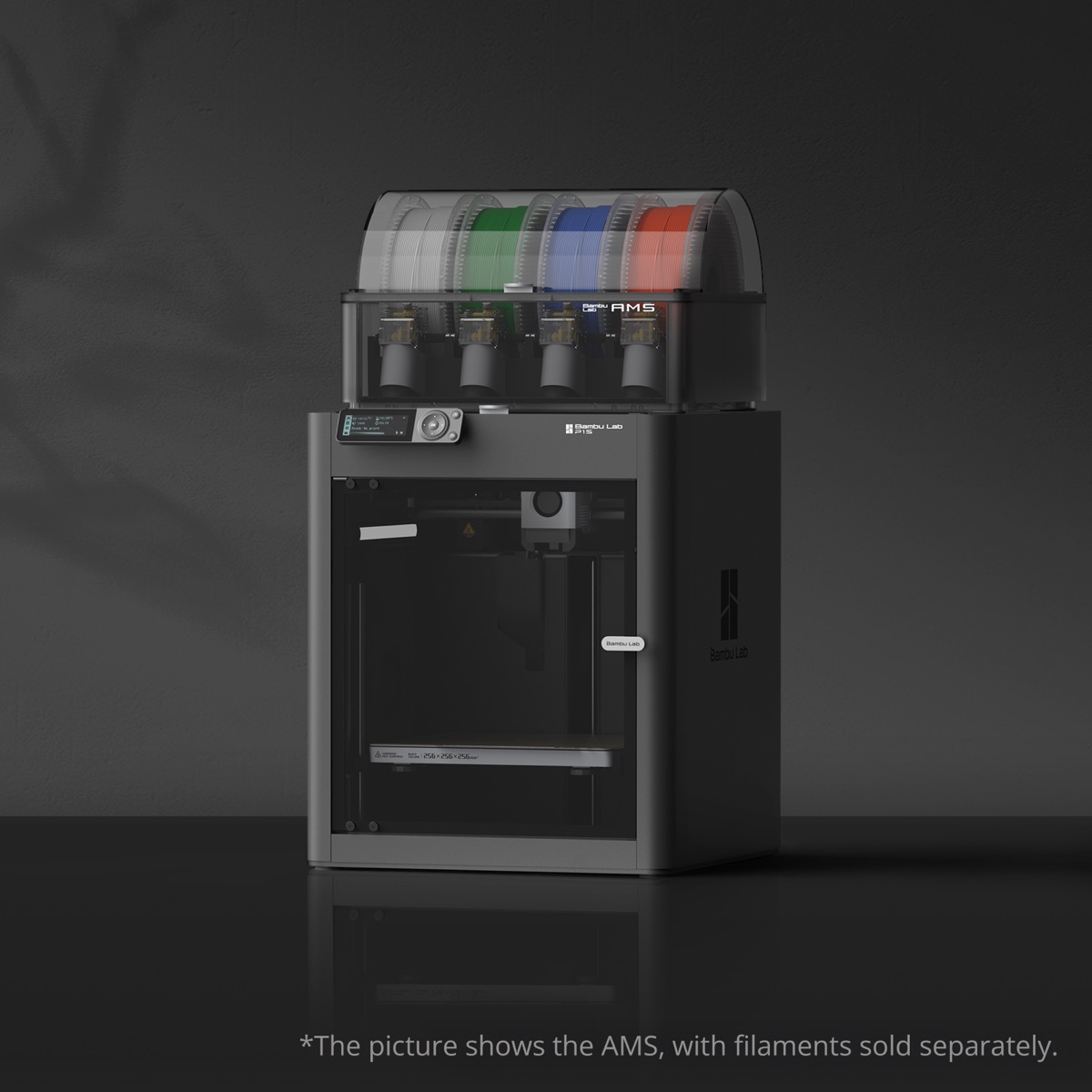
Price: $699 | Build Volume: 256×256×256mm | Max Speed: 500mm/s | Enclosed: Yes
The P1S has been my daily driver for the past three months and it’s earned that spot. It’s the machine I grab when I need a functional part by tomorrow morning, when a client wants PA-CF hardware, and when I want the print to just… work.
Real-world speed: In my benchmarks, the P1S hits 220–250mm/s on standard PLA profiles — not the headline 500mm/s, but still roughly 2× faster than a Prusa MK4S at comparable quality. A 4-hour Prusa print becomes a 2-hour P1S print consistently.
Print quality: At 0.1mm layer height, I’d describe it as reference-quality FDM. Overhangs to 55° without supports, bridges up to 80mm clean, minimal stringing on PETG. At 0.05mm it genuinely surprises — I printed a detailed architectural model and the texture definition beat every open-frame machine I’ve used.
The enclosure matters more than you think: The sealed chamber passively heats to ~40°C, which means ABS without warping and PA-CF without a heated chamber add-on. I’ve been printing ABS in my home office without fume issues (with the activated carbon filter). That’s not a sentence I could write about any open-frame printer.
Where it loses points: Bambu Studio is proprietary and less flexible than PrusaSlicer for advanced users. The AMS multi-material system is excellent but costs $349 extra. And Bambu’s parts/repair ecosystem is still maturing — if something breaks out of warranty, you’re more dependent on Bambu than on a Prusa.
Pros:
- Fastest reliable print speeds under $700
- Full enclosure enables ABS, PA-CF out of the box
- Auto-calibration that actually works — minimal manual intervention
- Relatively quiet at ~45dB
Cons:
- Proprietary slicer limits advanced customization
- AMS multi-material sold separately ($349)
- No heated chamber for PEEK or ultra-high-temp materials
Bottom Line: If you want one printer that handles everything — PLA weekend projects to engineering-grade PA-CF parts — the P1S is it. At $699 it’s not cheap, but it’s exceptional value for what it delivers.
2. Bambu Lab A1 Mini — Best for Beginners
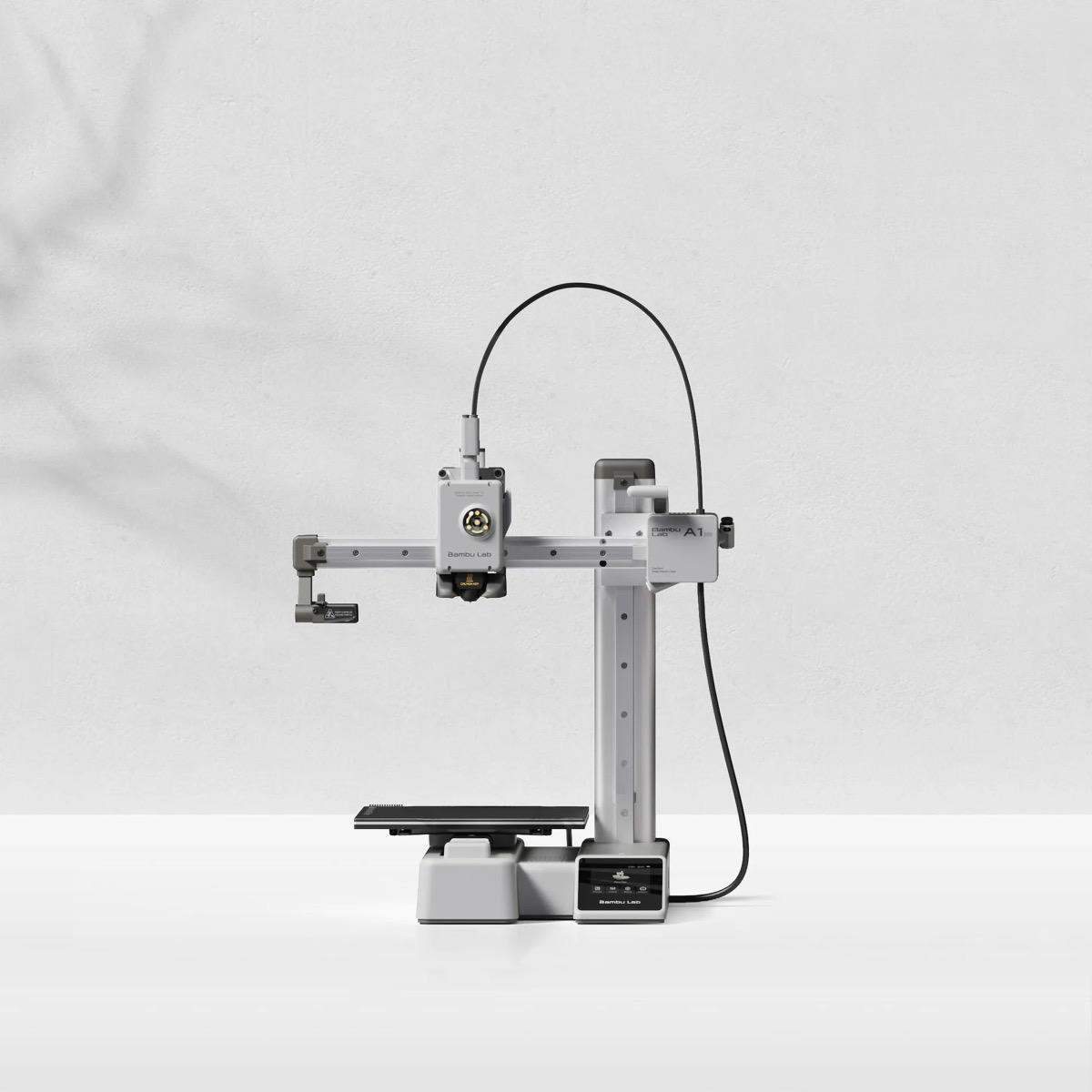
Price: $299 | Build Volume: 180×180×180mm | Max Speed: 500mm/s | Enclosed: No
The A1 Mini is what I recommend when someone tells me they’ve never owned a 3D printer and just wants to make stuff without a learning curve. Setup time from box to first print: 11 minutes. That’s not a typo.
For beginners, this machine is almost unfair in how easy it is. Auto bed leveling works. The built-in vibration compensation means you can run it at 200mm/s without print quality falling apart. The companion app is the least confusing I’ve tested.
What you give up: The 180×180×180mm build volume is real — I’ve had projects that just barely didn’t fit and required redesigning. It’s open-frame, so ABS is out unless you box it in with a DIY enclosure. And the smaller nozzle heater takes longer to recover between layer changes compared to the P1S.
Pros:
- Easiest setup of any printer I’ve tested
- Excellent print quality for the price
- Quiet enough for a shared workspace
- Compatible with AMS Lite for multi-color printing
Cons:
- Small build volume (180mm cube)
- No enclosure — limits materials to PLA, PETG, TPU
- Fewer advanced settings for power users
Bottom Line: The best entry point into 3D printing in 2026. If you’ve never owned a printer and want results fast, start here.
3. Creality K1 — Best Budget Speed Printer
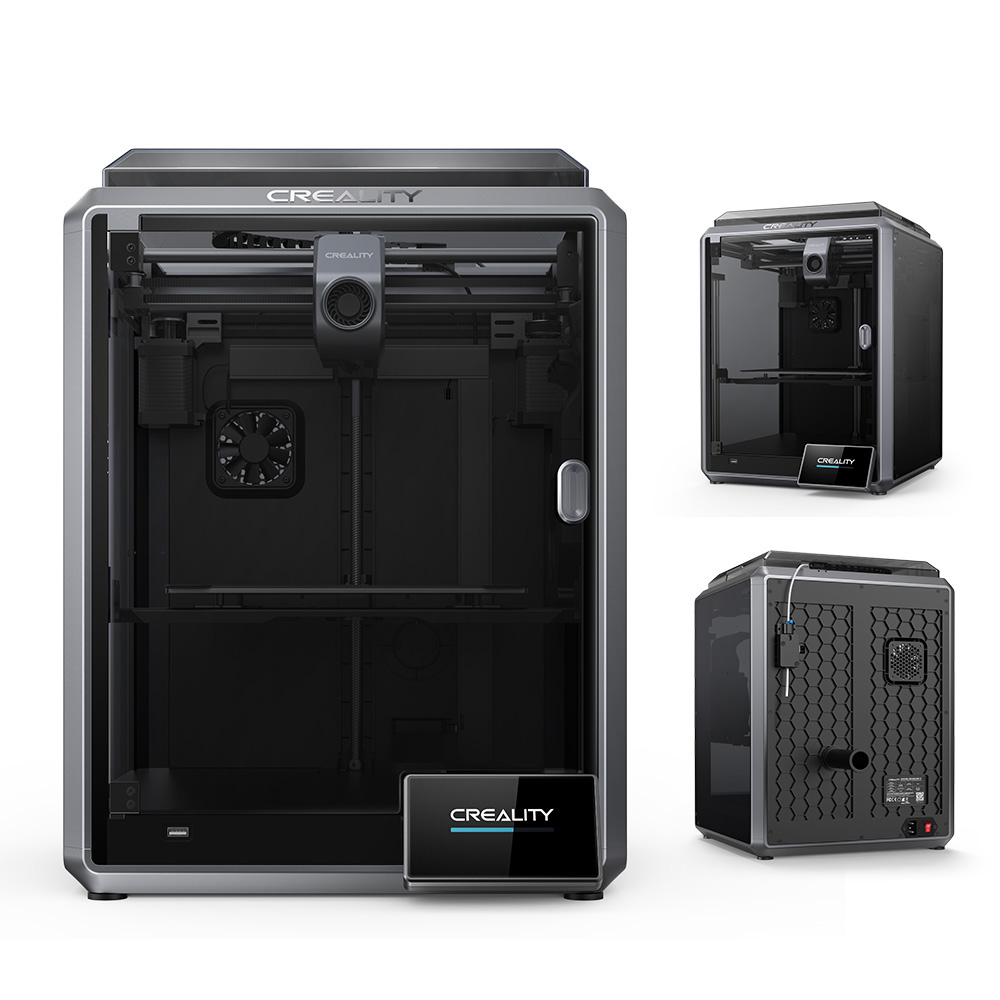
Price: $299 | Build Volume: 220×220×250mm | Max Speed: 600mm/s | Enclosed: Yes
The K1 shouldn’t exist at $299. It’s enclosed, it hits real-world speeds of 200–250mm/s on PLA, and it has a build volume that covers 95% of practical projects. Creality has done something remarkable here: made a machine that competes with $600 printers on the spec sheet and mostly holds up in practice.
The catch is “mostly.” In my testing, print quality at 250mm/s on the K1 is noticeably worse than the P1S at the same speed — more artifacts, slightly more stringing, inconsistent first layers on the first print of a cold session. The auto-leveling works but requires more frequent manual intervention than Bambu’s implementation.
The K1 also ships with some quirks: The default slicer profiles are conservative (which is smart), but they take time to optimize for your specific filament. Out of box, I needed about 4-5 prints to dial in PETG compared to 1-2 prints on the P1S.
Pros:
- Enclosed at $299 — incredible value
- 600mm/s max speed (real-world: 250mm/s quality prints)
- Good build volume for the price
- Large community with plenty of mods and fixes
Cons:
- Print quality at speed is behind Bambu at comparable settings
- First-layer calibration needs more attention
- Creality’s slicer is less polished than Bambu Studio
Bottom Line: The K1 is 85% of the P1S experience at 43% of the price. If budget is the primary constraint and you’re willing to spend a few hours dialing it in, this is the value pick of 2026.
4. Prusa MK4S — Best for Tinkerers & Open Source
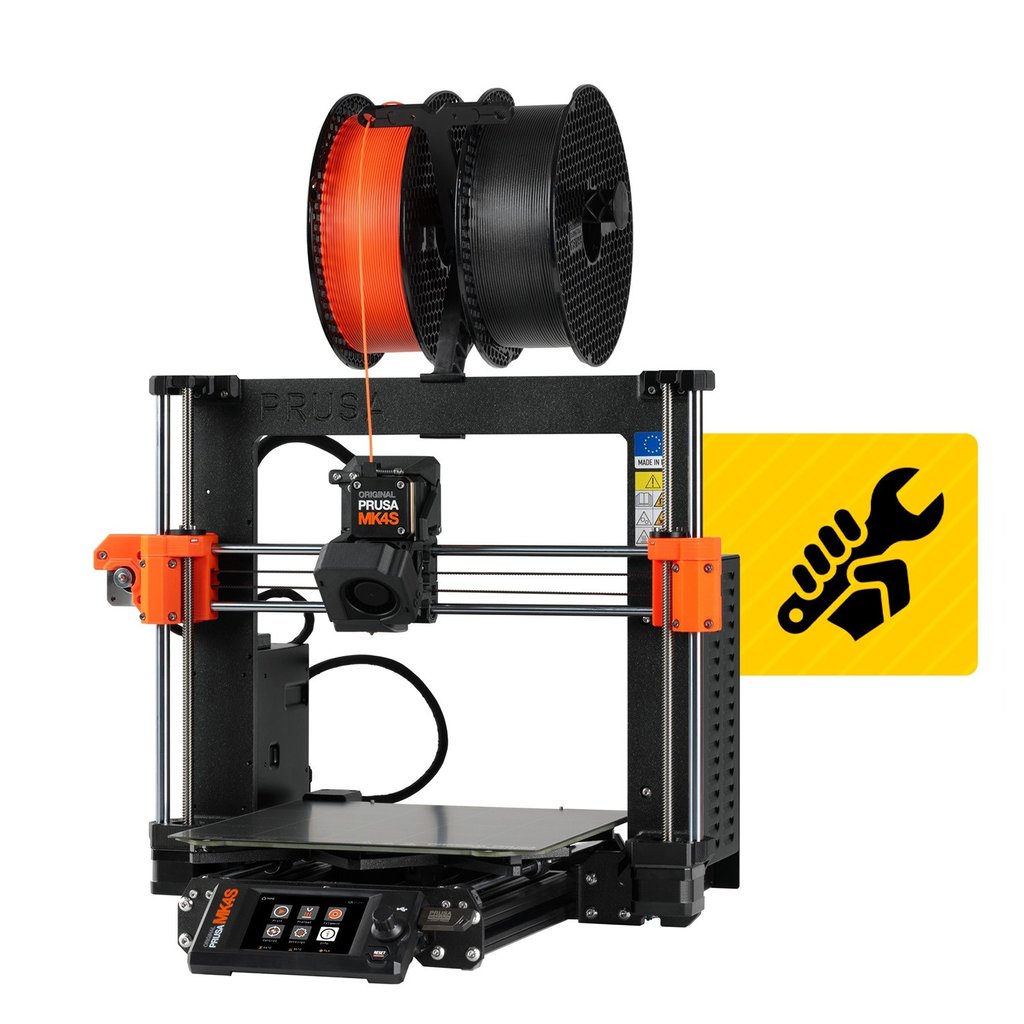
Price: $799 assembled | Build Volume: 250×210×220mm | Max Speed: 500mm/s | Enclosed: No
The Prusa MK4S is the machine I’d recommend to someone who wants to understand 3D printing, not just use it. It’s the most repairable, most documented, most community-supported printer on this list — and it prints exceptionally well.
Real-world speed: 130–160mm/s on quality prints. Yes, the spec sheet says 500mm/s. No, I don’t push it there — at those speeds the MK4S produces noticeably worse output than the Bambu machines. Where Prusa wins is consistency: 500 hours in, it prints the same way it did on day one.
The ecosystem is unmatched: PrusaSlicer is the most capable slicer available, period. Every major 3D printing forum has Prusa-specific support. Replacement parts are available directly from Prusa and from dozens of third-party suppliers. If something breaks in 3 years, you can fix it. With the Bambu machines, that’s less certain.
The honest tradeoff: At $799, the MK4S is more expensive than the Bambu P1S and prints slower. If speed and materials matter more than repairability and open-source values, the P1S wins. But if you’re building a long-term maker setup and want a machine that’ll still be viable in 5 years, Prusa is the safer bet.
Pros:
- Best-in-class repairability and documentation
- PrusaSlicer is the most powerful slicer available
- Exceptional print consistency over long periods
- Open source hardware and software
Cons:
- Slower real-world speeds than Bambu at comparable quality
- More expensive than the P1S for what you get
- No enclosure (limits materials)
Bottom Line: The Prusa MK4S is for people who want to own their printer, not just use it. If you value longevity, community, and open-source principles, it’s worth the premium.
5. Elegoo Neptune 4 Pro — Best Under $200
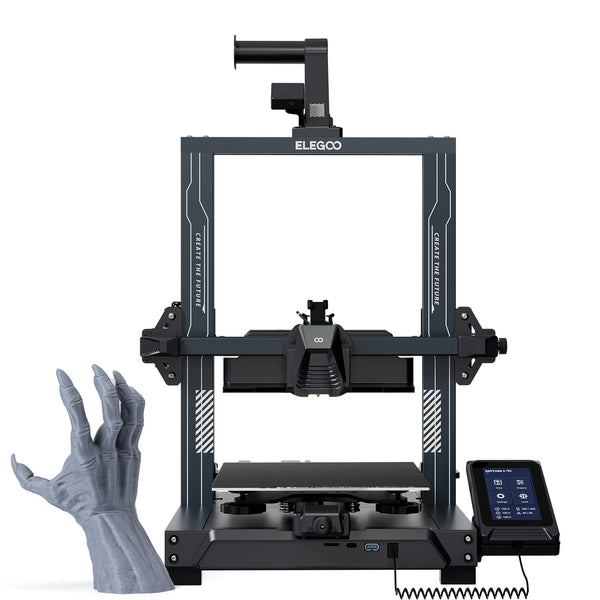
Price: $190 | Build Volume: 225×225×265mm | Max Speed: 500mm/s | Enclosed: No
At $190, the Neptune 4 Pro does things that would have cost $400 two years ago. Klipper firmware out of the box, input shaping for vibration compensation, a direct drive extruder, and a build volume that’s larger than the Bambu A1 Mini. On paper, it’s absurd value.
In practice: It is genuinely good for the price, with caveats. Setup takes longer — plan for 45–60 minutes of assembly and first-layer calibration. The Klipper interface is powerful but intimidating for newcomers; I’d only recommend this to someone comfortable Googling error messages. Print quality at 150–200mm/s is solid for PLA; above that it starts showing artifacts.
The best use case for the Neptune 4 Pro: Someone who’s already owned a printer, wants more build volume, and doesn’t want to spend $300+. As a first printer, I’d steer you toward the A1 Mini instead.
Pros:
- Klipper firmware gives advanced control
- Largest build volume under $200
- Direct drive extruder handles flexible filaments well
- Active community and strong mod support
Cons:
- Not beginner-friendly — requires more setup and tuning
- Print quality at high speeds is behind the Bambu machines
- No enclosure
Bottom Line: The best printer under $200 if you’re willing to put in setup time. Skip it if you’re a beginner.
6. Flashforge Adventurer 5M Pro — Best Compact Enclosed
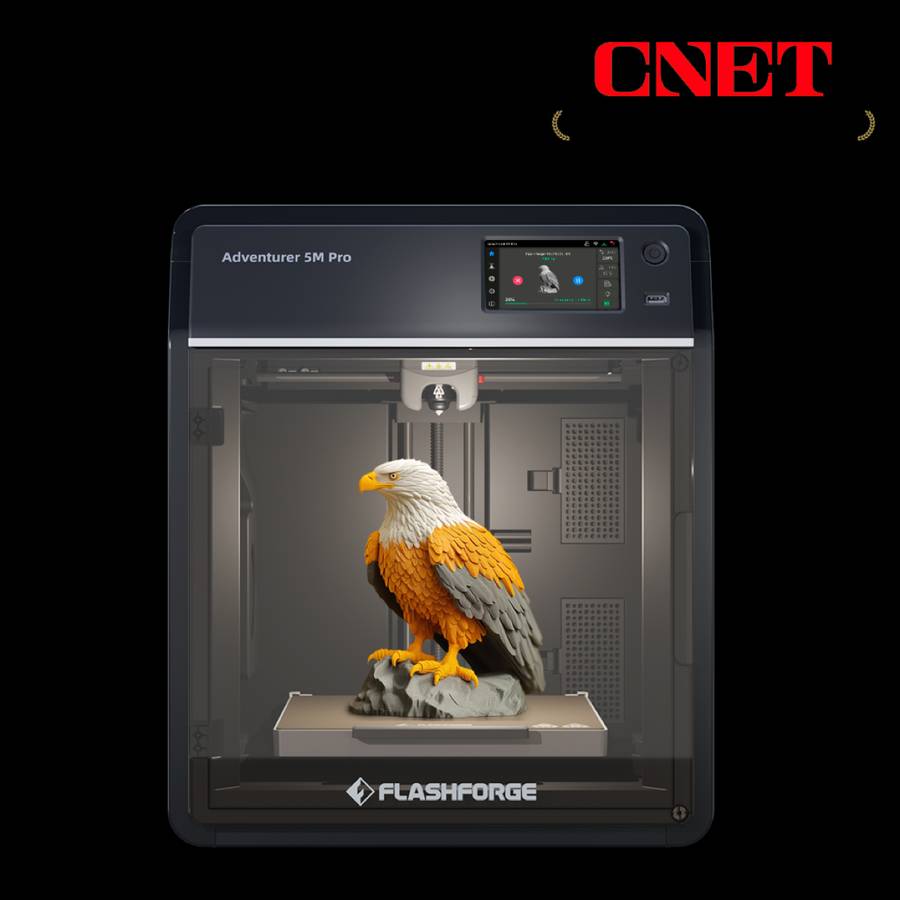
Price: $399 | Build Volume: 220×220×220mm | Max Speed: 600mm/s | Enclosed: Yes
The Adventurer 5M Pro punches well above its size. It’s one of the few fully enclosed printers in this price range that’s compact enough to sit on a desk without dominating it — the footprint is closer to a microwave than a full-size printer. But compact doesn’t mean compromised: it hits real-world speeds of 250mm/s, handles ABS and ASA without warping issues, and auto-levels reliably out of the box.
What differentiates it: The enclosed chamber at this price is the story. The Creality K1 is also enclosed at $299, but the Adventurer 5M Pro adds a HEPA + activated carbon filter, making it genuinely suitable for enclosed spaces like home offices. If you’re printing ABS or ASA and care about air quality, this matters.
The tradeoff: At $399, it costs $100 more than the K1 for a smaller build volume and comparable speeds. You’re paying for the filtration system and the compact form factor. If raw value is the priority, the K1 wins. If you want enclosed printing in a tight space with clean air output, the Adventurer earns the premium.
Pros:
- Fully enclosed with HEPA + activated carbon filtration
- Compact footprint — fits on a desk or shelf
- Fast for the category (250mm/s real-world)
- ABS, ASA, and PETG printing without issues
Cons:
- Smaller build volume than competitors at this price
- $100 premium over the Creality K1 for similar speeds
- Smaller community than Creality or Bambu
Bottom Line: The best choice if you need enclosed printing in a small space with good air filtration. A legitimate desk companion for home offices where air quality matters.
View Flashforge Adventurer 5M Pro →
7. Bambu Lab X1 Carbon — Best Premium
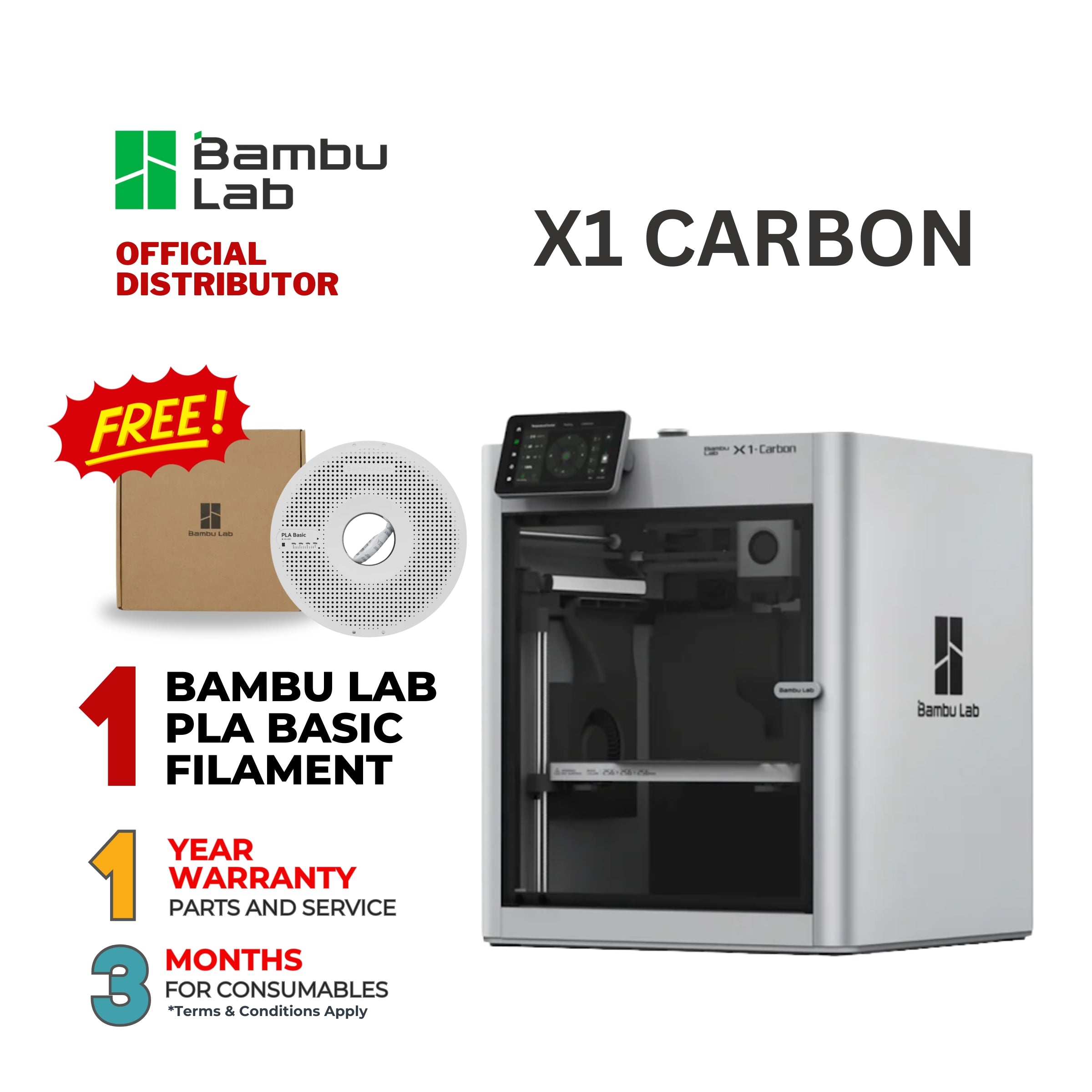
Price: $1,199 | Build Volume: 256×256×256mm | Max Speed: 500mm/s | Enclosed: Yes (active heating)
The X1 Carbon is the printer I’d buy if budget wasn’t the question. The active chamber heating — it reaches 60°C, not just passive 40°C like the P1S — opens up PEEK and high-temp engineering materials that are simply not accessible on any other consumer printer at this price. The multi-camera system and AI failure detection have caught two failed prints for me mid-job, saving hours of wasted filament.
Is it worth $500 more than the P1S? For most people, no. The P1S covers 95% of the same ground. The X1 Carbon earns its premium for engineers printing PA12-CF, PC-ABS, and similar materials regularly. For weekend PLA printing, it’s overkill.
Pros:
- Active chamber heating unlocks PEEK, PC, high-temp engineering materials
- AI failure detection actually works
- Best build quality of any consumer 3D printer
- Dual camera system for remote monitoring
Cons:
- Hard to justify over the P1S for standard materials
- Same proprietary ecosystem as the P1S
- Repair costs are higher given the more complex system
Bottom Line: The best 3D printer money can buy under $2,000 for engineering applications. For hobbyists, the P1S is a smarter spend.
Full Comparison Table
| P1S | A1 Mini | K1 | MK4S | Neptune 4 Pro | Adv. 5M Pro | X1 Carbon | |
|---|---|---|---|---|---|---|---|
| Price | $699 | $299 | $299 | $799 | $190 | $399 | $1,199 |
| Build Volume | 256³ mm | 180³ mm | 220×220×250 | 250×210×220 | 225×225×265 | 220×220×220 | 256³ mm |
| Max Speed | 500mm/s | 500mm/s | 600mm/s | 500mm/s | 500mm/s | 600mm/s | 500mm/s |
| Real Speed | 250mm/s | 220mm/s | 250mm/s | 160mm/s | 180mm/s | 250mm/s | 250mm/s |
| Enclosed | ✅ | ❌ | ✅ | ❌ | ❌ | ✅ + Filter | ✅ Active |
| Auto-leveling | ✅ | ✅ | ✅ | ✅ | ✅ | ✅ | ✅ |
| ABS/PA capable | ✅ | ❌ | ✅ | ❌ | ❌ | ✅ | ✅ |
| PEEK capable | ❌ | ❌ | ❌ | ❌ | ❌ | ❌ | ✅ |
| Open source | ❌ | ❌ | Partial | ✅ | ✅ (Klipper) | ❌ | ❌ |
| Best for | Overall | Beginners | Budget | Tinkerers | Ultra-budget | Compact+ABS | Engineering |
3D Printer Buying Guide: What to Look For in 2026
Print Speed — Ignore the Max, Watch the Real
Every machine claims 500–600mm/s in 2026. What matters is the speed at which it produces quality output. In my testing:
- Bambu machines: 220–250mm/s quality prints
- Creality K1: 200–250mm/s quality prints
- Prusa MK4S: 130–160mm/s quality prints
- Budget machines: 150–200mm/s quality prints
Anything above those ranges produces visible artifacts. Use max speed as a rough comparator, not a purchasing criterion.
Build Volume — Bigger Isn’t Always Better
The sweet spot for most home users is 220×220×220mm or larger. That covers phone cases, functional parts, gaming accessories, cosplay pieces, and most hobby applications.
You only need a larger volume if you’re printing architectural models, large cosplay armor, or industrial prototypes. The A1 Mini’s 180mm cube is genuinely limiting for larger projects — factor that in if you have ambitions beyond small objects.
Enclosed vs. Open Frame
This is the decision that matters most for material capability:
- Open frame: PLA, PETG, TPU. Easy to use, easy to service, lower cost.
- Enclosed (passive): Everything above, plus ABS, ASA, PA (nylon), and most PA-CF blends.
- Enclosed (active heated chamber): Everything above, plus PEEK, PC-ABS, and ultra-high-temp engineering materials.
If you think you’ll ever want to print ABS or engineering materials, buy enclosed from the start. Retrofitting is a pain.
Material Compatibility
For hobbyists: PLA covers 90% of projects. Start there.
For functional parts: PETG (good chemical resistance, slightly flexible) or PA-CF (strong, lightweight, professional-grade).
For engineering: PC, PA12-CF, PEEK. These require enclosed printers with active chamber heating — that means the X1 Carbon or higher.
Software & Ecosystem
The slicer matters more than most buyers realize. My rankings:
- PrusaSlicer / OrcaSlicer — most powerful, steepest learning curve
- Bambu Studio — polished, less flexible, getting better
- Creality Print — improving but still rough
- Flashforge — FlashPrint 5 is capable and beginner-friendly, though less flexible than OrcaSlicer
FAQ
What’s the best 3D printer for beginners in 2026? The Bambu Lab A1 Mini. It’s the fastest to set up, most reliable out of the box, and produces excellent PLA/PETG quality without requiring calibration knowledge. The step up to the P1S is worth it if you know you’ll want advanced materials.
Is Bambu Lab worth it over Creality? Yes, for most users. The P1S costs $400 more than the K1 but delivers meaningfully better print quality at speed, a more polished software experience, and better out-of-box reliability. The Creality K1 is excellent if budget is the primary constraint.
Can I print ABS on a $300 printer? Only on enclosed printers. The Creality K1, Flashforge Adventurer 5M Pro, and Bambu P1S are all enclosed and handle ABS reliably. The A1 Mini and Neptune 4 Pro are open-frame and will struggle with ABS warping. If ABS matters to you, budget for an enclosed printer.
What’s the difference between Bambu P1S and X1 Carbon? The X1 Carbon adds an actively heated chamber (reaches 60°C vs. P1S’s passive ~40°C), a dual-camera system with AI failure detection, and a carbon fiber frame. For engineering materials like PEEK, the X1 Carbon is necessary. For everything else, the P1S is the smarter value.
How long do 3D printers last? With proper maintenance, 3–5 years is realistic for budget machines, 5–8+ years for quality machines like Prusa. The Prusa MK4S’s repairability means you can replace individual components rather than the whole printer — an advantage that compounds over time.
Do I need expensive filament? No. Generic PLA from brands like Bambu, Polymaker, or Overture ($20–25/kg) prints as well as name-brand options for most applications. Save the premium filament budget for specialized materials (PA-CF, flexible TPU) where quality differences matter.
Is 3D printing still worth it in 2026? More than ever. Printer quality has improved dramatically while prices have dropped. The barrier to entry — both cost and technical complexity — is the lowest it’s ever been. If you’ve been on the fence, 2026 is a genuinely good time to start.
Final Verdict
For most people, the answer is the Bambu Lab P1S at $699. It handles the widest range of materials, prints fast enough to not test your patience, and requires the least calibration knowledge of any enclosed printer I’ve tested. It’s the machine I’d buy today if I were starting from scratch.
If $699 is too steep, the Creality K1 at $299 is a remarkable value — enclosed, fast, and capable of the same material range at a fraction of the cost, with the understanding that you’ll need a few more hours to dial it in.
If you’re new to 3D printing and want the simplest possible experience, start with the Bambu A1 Mini at $299 and upgrade later.
And if you’re an engineer printing PA12-CF and PC-ABS professionally, the Bambu X1 Carbon is worth every dollar of the $1,199 price tag.
Last updated: March 2026. Prices may vary — check current listings before purchasing.